

Your Phone Is Filthy! Here’s the Fix That Works


Let’s be honest. Your phone goes everywhere with you. Kitchen counter, car console, checkout line… and yes, probably places we don’t need to list before breakfast. Unlike your hands, your phone doesn’t get washed throughout the day. It just keeps collecting whatever your fingers pick up and then hands it right back to you. The fix is simple: a quick daily wipe. It takes less than a minute and helps protect your device, your skin, and your peace of mind.

I don’t mean to ruin your morning coffee, but here’s the reality: your phone can carry up to 10 times more bacteria than a toilet seat and you’re touching it all day long.
And it makes sense when you think about it. Your phone goes everywhere. It lands on counters, rides around in your bag or pocket, and occasionally takes a tumble in places we won’t discuss before breakfast. Every time you pick it up (about 47 times a day on average), you’re transferring oils, dirt, and microbes right onto the surface.
How Dirty Is Your Phone Really?
Researchers have even found thousands of bacterial traces on phones, including some you definitely don’t want to think about while eating. In healthcare settings, phones have been shown to act like little “carriers,” moving germs from one place to another without much effort at all.
Now, the good news: you’re not likely getting sick every time you scroll. But germs don’t just sit there quietly. They move from your phone to your hands, and sometimes straight to your face. That can lead to breakouts, irritation, or the occasional illness, especially during cold and flu season.
And while viruses don’t live forever on surfaces, some can hang around for hours, or even days, depending on conditions. Which means your phone can keep passing things back to you long after you’ve forgotten where it’s been.
How to Clean Your Phone Without Damaging It
Here’s where people get tripped up: cleaning your phone the wrong way can do more harm than good.
It’s tempting to grab whatever’s handy (paper towels, a splash of cleaner) but your phone isn’t a kitchen counter. Treat it that way, and you can slowly wear down the very coating that keeps your screen looking clear and smudge-resistant.
Modern screens are designed to protect themselves… but only if we don’t overdo it.
Here’s the simple rule: Use a soft, lint-free cloth (microfiber is perfect) and just a small amount of approved cleaner. That’s all it takes.

(Disclosure: This post includes an Amazon Creator Connections product. I may earn a small commission if you purchase through the link, at no additional cost to you.)
What NOT to Use on Your Phone
If you remember nothing else from this article, remember this list:
- No paper towels (too abrasive)
- No bleach or harsh cleaners
- No aerosol sprays
- No soaking wet wipes
- No spraying directly onto your phone
Too much moisture is the real enemy here. If liquid finds its way into ports or seams, you’re looking at bigger problems than fingerprints.
Step-by-Step: How to Disinfect Your Phone Safely
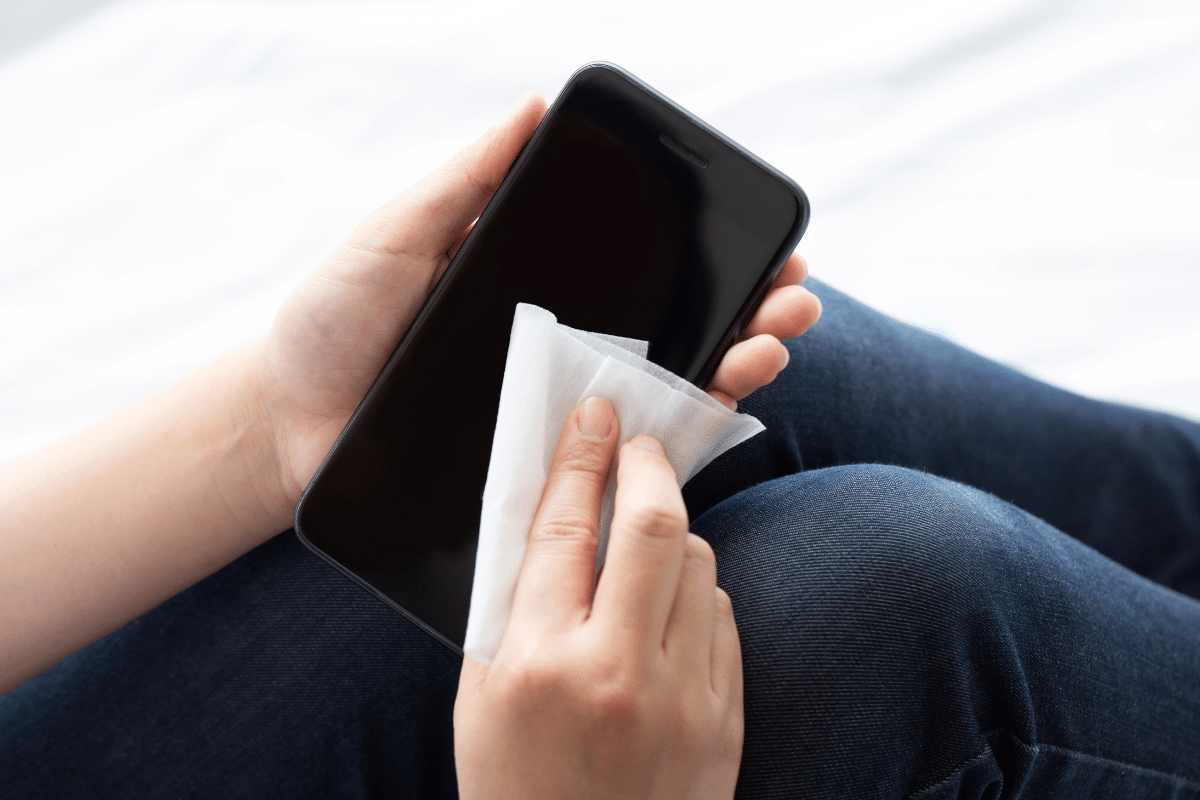
This is quick, simple, and hard to mess up once you know the basics. Here’s my easy routine:
- Unplug your phone and remove any cables or accessories.
- Turn it off (optional, but safer).
- Use a microfiber cloth slightly dampened with 70% isopropyl alcohol or a disinfecting wipe.
- Gently wipe all surfaces. Think: front, back, and sides.
- Avoid openings like charging ports and speakers.
- Let it air dry for a minute or two.
That’s it. You’re done before your coffee gets cold.
iPhone Cleaning Tips You Should Follow
Good news! This has gotten a lot easier. Apple now says it’s perfectly fine to use 70% isopropyl alcohol wipes or disinfecting wipes on the hard, nonporous surfaces of your phone. That’s a big shift from the old “don’t you dare” days, and it makes keeping things clean much more doable.
A few smart guidelines to keep in mind:
- Stick with a soft, lint-free cloth (microfiber is your friend)
- If you’re using liquid, put it on the cloth. Not directly on your phone
- Keep your touch gentle
And just as important, here’s what to avoid:
- Don’t let moisture sneak into openings like ports or speakers
- Skip abrasive materials (yes, paper towels are still a bad idea)
- Avoid harsh cleaners like bleach or anything too strong
If you want to double-check the details or see guidance for other devices, Apple keeps an updated support page with all the specifics.
Android Phone Cleaning Tips That Work
Android devices are a bit more flexible, but the same principles apply.
- Use screen-safe disinfecting wipes or eyeglass cleaner for the screen
- A lightly damp cloth with mild soap can be used for the exterior
- Alcohol-based wipes are generally fine
When in doubt, check your manufacturer’s care instructions, but overall, gentle and slightly damp wins the day.
How to Clean Laptops, Keyboards, and Remotes
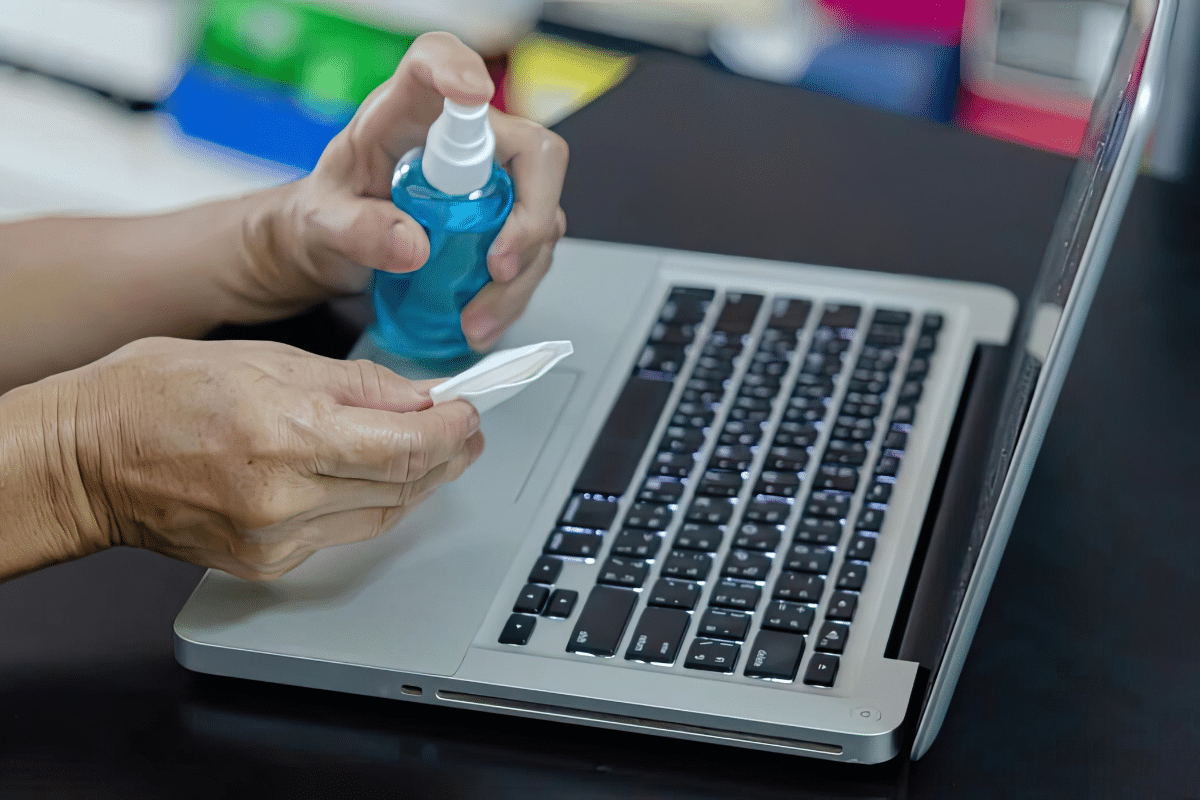
These often get even less attention than phones and see just as much action.
For laptops and tablets:
- Power down and unplug
- Use a lightly damp microfiber cloth
- Never spray directly on the screen
For keyboards and remotes:
- Use alcohol on a cloth or a barely damp wipe
- Wring out excess liquid first
- Pay extra attention to crevices (that’s where everything hides)
If you want to make life easier, a washable keyboard cover is one of those small upgrades that pays off quickly.
The Best Disinfectants for Phones and Devices
You don’t need a cabinet full of products. A few reliable options will do the job:
- 70% isopropyl (rubbing) alcohol
- Alcohol-based disinfecting wipes
- SNiPER Hospital Disinfectant
- Lysol Disinfectant Spray (applied to cloth, not device)
- Lysol Disinfectant Wipes
Keep it simple. If it’s effective and safe for screens, you’re on the right track.




(Disclosure: This post includes an Amazon Creator Connections product. I may earn a small commission if you purchase through the link, at no additional cost to you.)
Simple Habits That Keep Your Phone Cleaner Longer
This is where things really get easy. A few small habits can make a big difference:
- Clean your phone once a day (pair it with brushing your teeth so you don’t forget)
- Keep it out of the bathroom whenever possible
- Wash your hands regularly (still your best defense)
- Avoid handing your phone around
- Wipe it down after travel or errands
You don’t need a complicated routine or expensive tools. A quick daily wipe and a few smarter habits will do the job just fine.
And once it becomes part of your rhythm, you won’t even think about it. You’ll just have a cleaner phone and one less thing to worry about.
Question: Be honest… when was the last time you cleaned your phone? Today, last week, or “I’m not answering that”? Share in the comments below.
EverydayCheapskate™ is reader-supported. We participate in the Amazon Services LLC Associates Program and other affiliate advertising programs, designed to provide a means for us to earn from qualifying purchases, at no cost to you.

More from Everyday Cheapskate
 https://www.everydaycheapskate.com/wp-content/uploads/20261004-reduce-healthcare-costs-with-three-habits-healthy-couple-walking-in-autumn-leaves.png
800
1200
Mary Hunt
https://www.everydaycheapskate.com/wp-content/uploads/EC-Logo-by-Mary-Hunt-Tagline-Trimmed.png
Mary Hunt2026-10-04 23:08:572026-10-04 23:09:47How to Reduce Healthcare Costs With 3 Free Daily Habits
https://www.everydaycheapskate.com/wp-content/uploads/20261004-reduce-healthcare-costs-with-three-habits-healthy-couple-walking-in-autumn-leaves.png
800
1200
Mary Hunt
https://www.everydaycheapskate.com/wp-content/uploads/EC-Logo-by-Mary-Hunt-Tagline-Trimmed.png
Mary Hunt2026-10-04 23:08:572026-10-04 23:09:47How to Reduce Healthcare Costs With 3 Free Daily Habits https://www.everydaycheapskate.com/wp-content/uploads/20260919-air-purifier-in-living-room-1.png
800
1200
Mary Hunt
https://www.everydaycheapskate.com/wp-content/uploads/EC-Logo-by-Mary-Hunt-Tagline-Trimmed.png
Mary Hunt2026-09-19 11:36:552026-09-28 22:48:42The Best Inexpensive Air Purifiers for Small Homes
https://www.everydaycheapskate.com/wp-content/uploads/20260919-air-purifier-in-living-room-1.png
800
1200
Mary Hunt
https://www.everydaycheapskate.com/wp-content/uploads/EC-Logo-by-Mary-Hunt-Tagline-Trimmed.png
Mary Hunt2026-09-19 11:36:552026-09-28 22:48:42The Best Inexpensive Air Purifiers for Small Homes https://www.everydaycheapskate.com/wp-content/uploads/20260917-fall-cleaning-checklist.png
800
1200
Mary Hunt
https://www.everydaycheapskate.com/wp-content/uploads/EC-Logo-by-Mary-Hunt-Tagline-Trimmed.png
Mary Hunt2026-09-17 17:11:012026-09-28 22:48:45Fall Cleaning Checklist: 15 Overlooked Spots to Clean
https://www.everydaycheapskate.com/wp-content/uploads/20260917-fall-cleaning-checklist.png
800
1200
Mary Hunt
https://www.everydaycheapskate.com/wp-content/uploads/EC-Logo-by-Mary-Hunt-Tagline-Trimmed.png
Mary Hunt2026-09-17 17:11:012026-09-28 22:48:45Fall Cleaning Checklist: 15 Overlooked Spots to Clean https://www.everydaycheapskate.com/wp-content/uploads/20260830-best-sound-machine-for-better-sleep-woman-hiding-under-comforter.png
800
1200
Mary Hunt
https://www.everydaycheapskate.com/wp-content/uploads/EC-Logo-by-Mary-Hunt-Tagline-Trimmed.png
Mary Hunt2026-09-10 09:51:452026-09-28 22:48:58Best Sound Machine for Better Sleep: 3 Honest Picks
https://www.everydaycheapskate.com/wp-content/uploads/20260830-best-sound-machine-for-better-sleep-woman-hiding-under-comforter.png
800
1200
Mary Hunt
https://www.everydaycheapskate.com/wp-content/uploads/EC-Logo-by-Mary-Hunt-Tagline-Trimmed.png
Mary Hunt2026-09-10 09:51:452026-09-28 22:48:58Best Sound Machine for Better Sleep: 3 Honest Picks https://www.everydaycheapskate.com/wp-content/uploads/20260826-DIY-cat-litter-deodorizer-kitten-looking-up-at-camera-from-box.png
800
1200
Mary Hunt
https://www.everydaycheapskate.com/wp-content/uploads/EC-Logo-by-Mary-Hunt-Tagline-Trimmed.png
Mary Hunt2026-08-25 21:17:362026-09-28 22:49:26The One-Ingredient Litter Box Trick That Costs Pennies
https://www.everydaycheapskate.com/wp-content/uploads/20260826-DIY-cat-litter-deodorizer-kitten-looking-up-at-camera-from-box.png
800
1200
Mary Hunt
https://www.everydaycheapskate.com/wp-content/uploads/EC-Logo-by-Mary-Hunt-Tagline-Trimmed.png
Mary Hunt2026-08-25 21:17:362026-09-28 22:49:26The One-Ingredient Litter Box Trick That Costs Pennies https://www.everydaycheapskate.com/wp-content/uploads/20260809-how-to-get-the-smell-out-of-towels-stack-of-towels-sitting-with-candle-in-bright-natural-light.png
800
1200
Mary Hunt
https://www.everydaycheapskate.com/wp-content/uploads/EC-Logo-by-Mary-Hunt-Tagline-Trimmed.png
Mary Hunt2026-08-08 16:48:552026-08-08 16:50:57How to Get Smell Out of Towels: The 2-Wash Fix That Works
https://www.everydaycheapskate.com/wp-content/uploads/20260809-how-to-get-the-smell-out-of-towels-stack-of-towels-sitting-with-candle-in-bright-natural-light.png
800
1200
Mary Hunt
https://www.everydaycheapskate.com/wp-content/uploads/EC-Logo-by-Mary-Hunt-Tagline-Trimmed.png
Mary Hunt2026-08-08 16:48:552026-08-08 16:50:57How to Get Smell Out of Towels: The 2-Wash Fix That Works https://www.everydaycheapskate.com/wp-content/uploads/20260729-the-problem-with-fabric-softener-sitting-on-a-washer.png
800
1200
Mary Hunt
https://www.everydaycheapskate.com/wp-content/uploads/EC-Logo-by-Mary-Hunt-Tagline-Trimmed.png
Mary Hunt2026-07-29 13:45:412026-07-29 13:47:50Fabric Softener Is Wrecking Your Laundry. Here’s What Actually Works.
https://www.everydaycheapskate.com/wp-content/uploads/20260729-the-problem-with-fabric-softener-sitting-on-a-washer.png
800
1200
Mary Hunt
https://www.everydaycheapskate.com/wp-content/uploads/EC-Logo-by-Mary-Hunt-Tagline-Trimmed.png
Mary Hunt2026-07-29 13:45:412026-07-29 13:47:50Fabric Softener Is Wrecking Your Laundry. Here’s What Actually Works. https://www.everydaycheapskate.com/wp-content/uploads/20260706-negotiate-medical-bills-female-nurse-with-calculator-and-ipad-negotiating-a-bill.png
800
1200
Mary Hunt
https://www.everydaycheapskate.com/wp-content/uploads/EC-Logo-by-Mary-Hunt-Tagline-Trimmed.png
Mary Hunt2026-07-06 21:19:252026-09-28 22:51:26How to Negotiate Medical Bills and Cut Costs 30-50%
https://www.everydaycheapskate.com/wp-content/uploads/20260706-negotiate-medical-bills-female-nurse-with-calculator-and-ipad-negotiating-a-bill.png
800
1200
Mary Hunt
https://www.everydaycheapskate.com/wp-content/uploads/EC-Logo-by-Mary-Hunt-Tagline-Trimmed.png
Mary Hunt2026-07-06 21:19:252026-09-28 22:51:26How to Negotiate Medical Bills and Cut Costs 30-50% https://www.everydaycheapskate.com/wp-content/uploads/20260703-home-decor.png
800
1200
Mary Hunt
https://www.everydaycheapskate.com/wp-content/uploads/EC-Logo-by-Mary-Hunt-Tagline-Trimmed.png
Mary Hunt2026-07-03 20:46:552026-09-28 22:51:4110 Everyday Items You Never Think to Wash (But Should)
https://www.everydaycheapskate.com/wp-content/uploads/20260703-home-decor.png
800
1200
Mary Hunt
https://www.everydaycheapskate.com/wp-content/uploads/EC-Logo-by-Mary-Hunt-Tagline-Trimmed.png
Mary Hunt2026-07-03 20:46:552026-09-28 22:51:4110 Everyday Items You Never Think to Wash (But Should)Please keep your comments positive, encouraging, helpful, brief,
and on-topic in keeping with EC Commenting Guidelines
Last update on 2026-10-20 / Affiliate links / Images from Amazon Product Advertising API


I think it should be suggested to take off the phone case now and then when cleaning to make sure you get all to the edges. The case can hold on to some crumbs and dust and germs.
Happy belated anniversary! I first learned of you when your column appeared in the Pasadena Star News many years ago. You were and continue to be a major source of terrific, useful information and recipes.
With respect to cleaning phones, I own a UV light wand, bought during the first few months of the covid 19 panic. It no longer gets used on grocery canned goods or doorknobs, but it’s helpful for cleaning cell phones and the laptop keyboard, the mouse, and the tv remote. I think a lot of people bought the uv wands for the same reason, but may not have thought to use them on their electronic devices. Just another thought.
While they are slightly more expensive I prefer lens cleaner to alcohol wipes as they are larger and are not as prone to dry out. Of course, most of my device have protective screen covers I still am careful not to damage any coatings.
Thank you for faithfully posting your little nuggets of gold each day. You are a wealth of information! Thank you for taking the time. God bless you.
thank you so much for your daily emails and posts. i rarely think of cleaning my screen, guess i’d better make it a habit. and i’m going to order a keyboard cover and screen protector for my laptop.
Yes … good idea! Make sure you get a keyboard cover that is made exactly for your brand, size, and model keyboard. Mine came with my laptop case (specifically for my MBP 2021 16-in). It is great. And when I remove it to clean it? Yikes! The cover will take a little “getting used to” time but I think you adapt quickly. And thanks for your kind words! On Jan 1, 2022 I quietly celebrated 30 years of doing this. Can’t believe it, myself. But it’s true. Jan 1, 1992 … first issue of Cheapskate Monthly. My Readers’ feedback and encouragement NEVER grow old.