

9 Smart Ways to Conserve Energy in the Home

Looking for practical ways to conserve energy in the home without turning your lifestyle upside down? You’re in the right place. I’m a firm believer that comfort and savings can go hand in hand—and these smart, affordable gadgets prove it. Whether you’re tackling high utility bills or just love the idea of a more efficient home, these 9 solutions will help you save energy, money, and maybe even your sanity.

There’s an old saying in the business world: to make money, you have to spend money. While that might fly in corporate boardrooms, it’s not the most helpful advice when you’re managing a household budget. In the real world? The fastest way to give yourself a raise is to cut what you’re spending—especially on energy. Every dollar you don’t send to your utility company is one you get to keep, tax-free.
That’s exactly why I love these budget-friendly gadgets. They’re not flashy, but they work. Each one offers a clear, no-fuss way to dial back your energy use without sacrificing the comforts of home. Small changes really can make a big difference.
1. Seal Out Drafts with Outlet Insulation Pads

Duck Brand Socket Sealers Variety Pack
If your home has ever felt drafty in all the wrong places, your outlets and switch plates might be the sneaky culprits. Especially on exterior walls, these small openings can let cold air sneak in during the winter and cooled air escape in the summer.
That’s where outlet sealers come in. They’re simple foam inserts that fit behind the faceplates of your outlets and switches. The Duck Brand Socket Sealers Variety Pack gives you a generous mix—16 outlet sealers, 6 for switch plates, and even a couple of decorative covers for those GFI outlets.
They’re easy to install (think screwdriver and two minutes), flame-retardant for peace of mind, and honestly one of the easiest upgrades you can make to improve your home’s energy efficiency. It’s the kind of fix you only need to do once, but you’ll feel the difference every season.

2. Enhance Efficiency Using Window Insulation Film

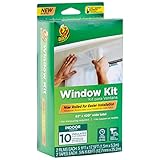
Duck Brand Window Insulation Kit
Windows are a major culprit when it comes to losing heated or cooled air—especially older ones that don’t quite seal the way they used to. And if you’ve ever stood near a window in winter and felt a mysterious indoor breeze, you know exactly what I mean.
That’s where window insulation film can be a real money-saver. It works like a temporary extra pane of glass, sealing in warmth (or cool air in the summer) and keeping drafts out. The Duck Brand Window Insulation Kit is a favorite for good reason—it covers up to ten standard windows and is surprisingly simple to install. All you need is a pair of scissors and a hair dryer.
Once the film is in place, you use the warm air from your hair dryer to shrink it tight and wrinkle-free. The result? An almost invisible barrier that keeps your home cozier and your energy bills more manageable.
Bonus tip: if your windows face the sun during the day, leave the blinds open to soak up free solar warmth, then draw them at night to help hold in the heat.
3. Don’t Waste Food (or Energy!) – Use a Fridge & Freezer Thermometer

Classic Refrigerator Analog Thermometer, 2 Pack
Here’s a cold, hard truth: your fridge might be lying to you. Just because the setting says “cold” doesn’t mean it’s cold enough—or not too cold—and that can lead to spoiled food or wasted energy. Neither of which is good for your budget.
This simple 2-pack of analog thermometers helps you take the guesswork out. You’ll know at a glance if your refrigerator and freezer are in the sweet spot. Just a quick peek at the large dial (color-coded for clarity), and you’re good to go. I keep one in the back of the fridge and the other tucked into the freezer.
These little workhorses are built to last, easy to clean, and can be hung or stood up wherever they’re most visible.

4. Stop Phantom Energy Drain in Its Tracks

Smart Strip Energy-Saving Surge Protector with Auto-Switching Technology
Ever noticed the soft glow of little green or red lights all over your house at night? That’s not your electronics quietly sleeping—it’s phantom power, silently driving up your energy bill.
The fix? A smart surge protector that knows when to cut the power. This Energy-Saving Surge Protector with Auto-Switching Technology is like a traffic cop for your outlets. Plug your TV into the “control” outlet, and when you power it down, the strip automatically shuts off the surrounding devices—like speakers, streaming boxes, or gaming consoles. That means less wasted energy and more money staying in your pocket.
Even better, it still includes “always-on” outlets for things like your Wi-Fi router or DVR that need constant power. It’s a smart, flexible system that works behind the scenes, saving energy without changing your habits.
This model even has a flat right-angle plug—great for tight spaces behind furniture—and a built-in surge protector to keep your devices safe during unexpected spikes.

5. A Simple Switch to Save Power
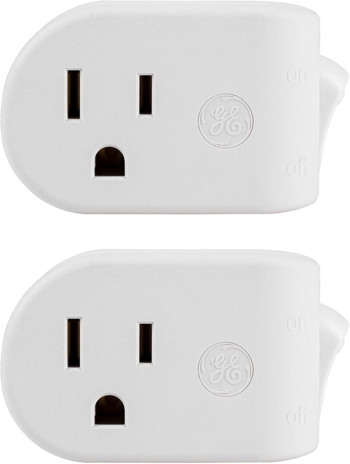
UltraPro Grounded Outlet Power Switch, 2 Pack
This handy little Power Conserve Switch turns any hard-to-reach plug into a flip-switch solution. Just plug it into your wall outlet, then plug in your device. Now, with a quick flick, you can fully shut off power.
It’s ideal for small appliances like your space heater, holiday lights, lamps, or even a curling iron (perfect for that “Did I leave it on?” moment halfway to the grocery store). Plus, it draws zero power in the off position.

6. Monitor Appliance Usage with a Kill-A-Watt Meter

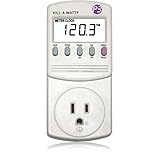
P3 P4400 Kill A Watt Electricity Usage Monitor
It’s easy to guess which appliances are energy hogs—but wouldn’t it be nice to know for sure? That’s where the Kill A Watt Meter comes in. Plug it into any standard outlet, then connect your appliance. In seconds, you’ll get a clear readout of how much energy that gadget is gobbling up—and how much it’s costing you.
This device makes invisible energy waste visible. It displays your usage just like the power company does: by the kilowatt-hour. That means you can estimate costs per day, week, month, or even a full year. You can also check voltage, amperage, and more, all from a simple LCD screen that’s easy to read.
Thinking of replacing your fridge? Wondering if that ancient space heater is a sneaky power-hog? Now you’ll have the facts to make smart, money-saving decisions.
7. Conserve Water with Low-Flow Showerheads and Faucet Aerators

Niagara Conservation N2912 Earth Spa Wall Mount Adjustable Shower Head
If you’ve ever stood under a sad, dribbly showerhead in a well-meaning attempt to save water, you know exactly what I mean. Thankfully, low-flow technology has come a long way—and Niagara Conservation is proof.
This 1.5 GPM wall-mounted showerhead keeps things feeling luxurious with three adjustable spray options: think soothing mist, steady stream, or a more forceful jet. Thanks to built-in pressure-compensation technology, the water flow stays consistent—even if your household water pressure isn’t exactly top-notch.


Niagara Conservation N3610CH Faucet Aerator Chrome
This little device screws onto your kitchen or bathroom faucet and delivers a strong, splash-free stream using just 0.5 GPM. That’s about half—or even a third—of what your current faucet might be using.
Even better, this one has adjustable flow settings so you can tailor the stream to the task at hand, whether you’re rinsing dishes or washing hands. And just like the showerhead, it’s built with durable, corrosion-resistant materials and WaterSense certified. Bonus: it also helps you save on energy since you’re heating less water overall.

8. Program Smart Thermostats to Save All Year

Honeywell Home RTH7600D 7-Day Programmable Touchscreen Thermostat
A programmable thermostat is one of those set-it-and-forget-it tools that can quietly save you up to 33% off your energy bill if used consistently and correctly. That’s not a typo. The trick? Teaching your home to run more efficiently while you’re asleep, away, or just not needing it to work so hard.
This Honeywell thermostat makes that easier than ever. It’s simple to install (yes, even if you’re not the DIY type), and it comes pre-programmed with default settings that already save energy. But the real magic happens when you customize it.
Set different schedules for every day of the week, program four temperature shifts per day (like cooler overnight or warmer before you wake up), and let the thermostat do the work from there. Heading out of town? There’s a hold feature for that. Coming home early? Just tap the large, backlit touchscreen and adjust on the fly.
It also has a built-in brain. The Smart Response Technology “learns” how long it takes to heat or cool your home, then starts early so it’s already comfy by the time you need it. And if you live in one of those places where the heat runs in the morning but AC kicks in by dinner, the Auto Changeover setting switches modes automatically based on the indoor temp. Handy.
Oh, and there’s even a subtle but smart safety feature: the thermostat delays compressor restarts by a few minutes to help protect your system from short cycling—something that can wear down HVAC units over time.

9. Illuminate Outdoors with Motion-Activated Solar Lights

Solar Motion Sensor Outdoor Lights with 3 Lighting Modes, 6 Pack
If you’ve ever stubbed a toe on the way to the trash bins—or startled a raccoon mid-snack—you know how helpful a well-placed outdoor light can be. These motion-activated solar lights are an easy, affordable way to brighten up your home’s exterior without adding a dime to your electric bill.
Each light in this 6-pack runs on solar power, charging during the day and automatically lighting up when motion is detected—whether that’s you, your guests, or something more suspicious. And since they’re wireless, you can place them just about anywhere: fence posts, walkways, garages, porches, or even a dim backyard path.

Question: What’s the one gadget you’ve added to your home that made a noticeable difference in your energy bill? Share your favorites in the comments section.
EverydayCheapskate™ is reader-supported. We participate in the Amazon Services LLC Associates Program and other affiliate advertising programs, designed to provide a means for us to earn from qualifying purchases, at no cost to you.

More from Everyday Cheapskate
 https://www.everydaycheapskate.com/wp-content/uploads/20260906-best-can-openers-manual-electric-luxury.png
800
1200
Mary Hunt
https://www.everydaycheapskate.com/wp-content/uploads/EC-Logo-by-Mary-Hunt-Tagline-Trimmed.png
Mary Hunt2026-09-06 18:07:432026-09-06 18:10:39The Best Can Openers That Actually Work (And Won’t Quit on You)
https://www.everydaycheapskate.com/wp-content/uploads/20260906-best-can-openers-manual-electric-luxury.png
800
1200
Mary Hunt
https://www.everydaycheapskate.com/wp-content/uploads/EC-Logo-by-Mary-Hunt-Tagline-Trimmed.png
Mary Hunt2026-09-06 18:07:432026-09-06 18:10:39The Best Can Openers That Actually Work (And Won’t Quit on You) https://www.everydaycheapskate.com/wp-content/uploads/20260905-college-student-credit-card-debt-male.png
800
1200
Mary Hunt
https://www.everydaycheapskate.com/wp-content/uploads/EC-Logo-by-Mary-Hunt-Tagline-Trimmed.png
Mary Hunt2026-09-05 11:26:562026-09-05 11:36:10Should You Bail Your College Kid Out of Credit Card Debt?
https://www.everydaycheapskate.com/wp-content/uploads/20260905-college-student-credit-card-debt-male.png
800
1200
Mary Hunt
https://www.everydaycheapskate.com/wp-content/uploads/EC-Logo-by-Mary-Hunt-Tagline-Trimmed.png
Mary Hunt2026-09-05 11:26:562026-09-05 11:36:10Should You Bail Your College Kid Out of Credit Card Debt? https://www.everydaycheapskate.com/wp-content/uploads/20260828-choice-overload-man-resting-head-on-table.png
800
1200
Mary Hunt
https://www.everydaycheapskate.com/wp-content/uploads/EC-Logo-by-Mary-Hunt-Tagline-Trimmed.png
Mary Hunt2026-08-28 10:57:162026-08-28 10:57:16How to Escape the Tyranny of Too Many Choices
https://www.everydaycheapskate.com/wp-content/uploads/20260828-choice-overload-man-resting-head-on-table.png
800
1200
Mary Hunt
https://www.everydaycheapskate.com/wp-content/uploads/EC-Logo-by-Mary-Hunt-Tagline-Trimmed.png
Mary Hunt2026-08-28 10:57:162026-08-28 10:57:16How to Escape the Tyranny of Too Many Choices https://www.everydaycheapskate.com/wp-content/uploads/20260824-house-rules-for-adult-children.png
800
1200
Mary Hunt
https://www.everydaycheapskate.com/wp-content/uploads/EC-Logo-by-Mary-Hunt-Tagline-Trimmed.png
Mary Hunt2026-08-24 12:21:382026-08-24 12:23:50House Rules for Adult Children Living at Home (Without Losing Your Mind or Your Garage)
https://www.everydaycheapskate.com/wp-content/uploads/20260824-house-rules-for-adult-children.png
800
1200
Mary Hunt
https://www.everydaycheapskate.com/wp-content/uploads/EC-Logo-by-Mary-Hunt-Tagline-Trimmed.png
Mary Hunt2026-08-24 12:21:382026-08-24 12:23:50House Rules for Adult Children Living at Home (Without Losing Your Mind or Your Garage) https://www.everydaycheapskate.com/wp-content/uploads/20260823-affluence-more-money-isnt-the-answer-man-holding-dollar-bills.png
800
1200
Mary Hunt
https://www.everydaycheapskate.com/wp-content/uploads/EC-Logo-by-Mary-Hunt-Tagline-Trimmed.png
Mary Hunt2026-08-23 18:23:072026-08-23 18:23:09More Money Isn’t the Answer. I Know Because I Tried It.
https://www.everydaycheapskate.com/wp-content/uploads/20260823-affluence-more-money-isnt-the-answer-man-holding-dollar-bills.png
800
1200
Mary Hunt
https://www.everydaycheapskate.com/wp-content/uploads/EC-Logo-by-Mary-Hunt-Tagline-Trimmed.png
Mary Hunt2026-08-23 18:23:072026-08-23 18:23:09More Money Isn’t the Answer. I Know Because I Tried It. https://www.everydaycheapskate.com/wp-content/uploads/20260822-central-AC-maintenance-air-condenser-outdoors.png
800
1200
Mary Hunt
https://www.everydaycheapskate.com/wp-content/uploads/EC-Logo-by-Mary-Hunt-Tagline-Trimmed.png
Mary Hunt2026-08-22 14:19:562026-08-22 14:19:59How to Extend the Life of Your Central AC (5 Late-Summer Tune-Up Tips)
https://www.everydaycheapskate.com/wp-content/uploads/20260822-central-AC-maintenance-air-condenser-outdoors.png
800
1200
Mary Hunt
https://www.everydaycheapskate.com/wp-content/uploads/EC-Logo-by-Mary-Hunt-Tagline-Trimmed.png
Mary Hunt2026-08-22 14:19:562026-08-22 14:19:59How to Extend the Life of Your Central AC (5 Late-Summer Tune-Up Tips) https://www.everydaycheapskate.com/wp-content/uploads/20260817-thrift-store-sign-with-blue-cloudy-sky-in-background.png
800
1200
Mary Hunt
https://www.everydaycheapskate.com/wp-content/uploads/EC-Logo-by-Mary-Hunt-Tagline-Trimmed.png
Mary Hunt2026-08-17 09:17:472026-08-17 09:17:47The Donation Box Mistakes Thrift Stores Wish We’d Skip
https://www.everydaycheapskate.com/wp-content/uploads/20260817-thrift-store-sign-with-blue-cloudy-sky-in-background.png
800
1200
Mary Hunt
https://www.everydaycheapskate.com/wp-content/uploads/EC-Logo-by-Mary-Hunt-Tagline-Trimmed.png
Mary Hunt2026-08-17 09:17:472026-08-17 09:17:47The Donation Box Mistakes Thrift Stores Wish We’d Skip https://www.everydaycheapskate.com/wp-content/uploads/20260815-how-to-water-your-lawn-without-wasting-money.png
800
1200
Mary Hunt
https://www.everydaycheapskate.com/wp-content/uploads/EC-Logo-by-Mary-Hunt-Tagline-Trimmed.png
Mary Hunt2026-08-15 12:45:022026-08-15 12:45:02How to Water Your Lawn Without Wasting Money This Summer
https://www.everydaycheapskate.com/wp-content/uploads/20260815-how-to-water-your-lawn-without-wasting-money.png
800
1200
Mary Hunt
https://www.everydaycheapskate.com/wp-content/uploads/EC-Logo-by-Mary-Hunt-Tagline-Trimmed.png
Mary Hunt2026-08-15 12:45:022026-08-15 12:45:02How to Water Your Lawn Without Wasting Money This Summer https://www.everydaycheapskate.com/wp-content/uploads/20260813-real-hourly-wage-for-a-second-income.png
800
1200
Mary Hunt
https://www.everydaycheapskate.com/wp-content/uploads/EC-Logo-by-Mary-Hunt-Tagline-Trimmed.png
Mary Hunt2026-08-13 21:16:562026-08-13 21:18:10What’s the Real Hourly Wage of Your Second Income Job?
https://www.everydaycheapskate.com/wp-content/uploads/20260813-real-hourly-wage-for-a-second-income.png
800
1200
Mary Hunt
https://www.everydaycheapskate.com/wp-content/uploads/EC-Logo-by-Mary-Hunt-Tagline-Trimmed.png
Mary Hunt2026-08-13 21:16:562026-08-13 21:18:10What’s the Real Hourly Wage of Your Second Income Job?Please keep your comments positive, encouraging, helpful, brief,
and on-topic in keeping with EC Commenting Guidelines
Last update on 2026-09-10 / Affiliate links / Images from Amazon Product Advertising API


I have a bedroom and a bath that I don’t use much. Will I save any HVAC by keeping the hallway doors closed?
Unfortunately, no, closing doors, blocking vents etc will not lower cooling costs. In fact, although counter intuitive, it might make things worse. If you restrict airflow you can cause pressure build ups that cause your AC to have to work harder to overcome. The best things you can do is to make sure you change your filters at the recommended intervals for your use case (use high quality filters that cause less flow restriction) raise your thermostat settings (even a degree or two can make a big difference) and block sunlight to that extra room which will lower the ambient temp during the day.
Smart Strips….Amazon $22!!! not 11.50! Not everyone shops amazon would be appreciative if you take us somewhere else and don’t promote Amazon!
Amazon is universal. We have lots of global readers (a huge number in South Africa … hello to all of you!). Amazon becomes a universal reference point. I always invite my readers to comparison shop. You can do that easily from any device at Target.com, Walmart.com, HomeDepot.com, Lowes.com. It is not practical for me to give every possible link where items of reference can be found. Hope that helps!
P.S. Amazon changes like the wind, on a dime. And it can take a while for the internal machine to update our site through its API. In the meantime, I’ll get busy re-evaluating and making sure smart power strip shown is still a viable EC option, keeping in mind that unless anyone is making this kind of smart surge protector in the USA, it may be an unexpected price increase due to tariffs.
a belkin. it plugs into the outlet and my toaster oven into the belkin. i set it for a half hour. my toaster oven has an annoying habit of turning itself back on if anything jiggles it. a passing garbage truck provides enough of a jiggle. i can’t be home all the time to check it every time something heavy drives by, so not only does it save money, it’s a safety issue.
I installed the socket sealers (VERY easy to do) on the switches and receptacles on my house exterior wall, and I was shocked at the difference that it made. And, they were very inexpensive.
Is this weekly e-mail contain all the same info I used to get with the daily ones?
Re window film: Duck brand’s adhesive tape is trash. I use 3M and have not had a problem in 12 years. You can buy the tape separately.
Where can these gadgets be purchased?
If you click on the blue written description of the item, you’ll be taken to the Amazon page for each item.
Kenneth … click on the images or the items’ titles!
I have given you links following each gadget’s description. Take a look!