

Do You Really Need Unlimited Data? Check Before You Pay

Unlimited data is wonderfully convenient. It also makes it wonderfully easy to stop paying attention to how much cellular data you actually use. Before assuming you need the biggest plan your carrier offers, spend 10 minutes checking your own numbers. You may discover unlimited is worth every penny. Or you may find you’ve been paying for a whole lot of data you never touch.

Quick question. You may have to dig out your phone bill to answer it:
How much cellular data do you actually use in a month?
Not how much your plan gives you. Not what the guy at the store swore you’d need. What you actually use.
If your answer is somewhere between “I have no idea” and “Isn’t that why I have unlimited?” you’re in good company. Unlimited data has become the comfortable choice. No counting gigabytes, no sweating over watching a video in the grocery store parking lot.
I understand the appeal.
I get it. But unlimited data can also make it very easy to pay month after month for a giant bucket of something you never come close to using. Ka-ching.
Before you change plans, however, don’t guess. Let’s find out.
Wait, don’t I use my phone all day?
Probably. But using your phone a lot and using a lot of cellular data are two different things.
Every minute you’re on Wi-Fi at home, at work, at your sister’s house, none of it comes out of your cellular allowance. And Wi-Fi is doing a lot more of the work than you might think. An Opensignal study of customers from five major U.S. mobile providers found that 82% to 89% of smartphone data usage occurred over Wi-Fi rather than cellular networks.
That helps explain something else. In a 2026 look at anonymized usage among its unlimited-plan customers, US Mobile found the median customer used just 14.5 GB of cellular data a month. (Median is the number smack in the middle. A few heavy users drag the average way up, so the middle tells you more.) Thirty-six percent used less than 10 GB, and 51% used less than 15.
That’s not a representative sample of every American cellphone user, so I wouldn’t use 14.5 GB as some magic number for choosing your plan. Your number is the one that matters.
And fortunately, it’s not hard to find.
Do a 10-minute cell phone data audit
Before shopping for another plan (or congratulating yourself for already having the perfect one), take a few minutes to investigate. You may be surprised.
1. Start with your carrier
Your carrier knows exactly how much cellular data it’s billing to your account, so start there. Sign in to your carrier’s website or app and look for Usage, Data Usage or Billing History.
Then look at several completed billing cycles, not just this month. One month tells you almost nothing. Maybe you spent July at home on Wi-Fi. Maybe September was a road trip, and your phone handled the maps, the movies and a hotspot for somebody’s laptop.
What you’re looking for is your normal range, plus the odd month when normal went out the window.
2. Check your phone, too
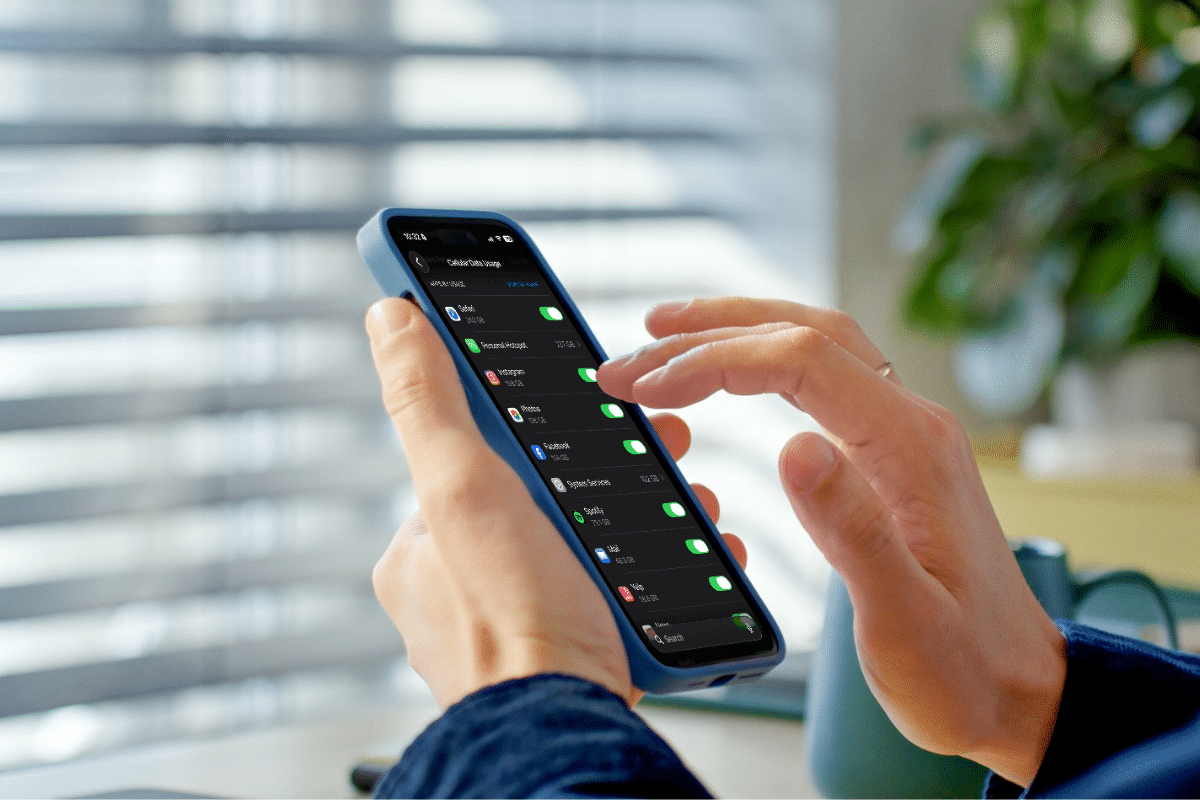
Your phone knows something your bill doesn’t: which apps are using the data.
On an iPhone, open Settings > Cellular. (Depending on where you live, it may say Mobile Data or Mobile Service.) Scroll down and you’ll see how much cellular data each app has used.
There’s one important catch. “Current Period” does not mean your current billing period. Those numbers keep piling up until you reset them by hand. Scroll to the very bottom to see when they were last reset. If you want to track monthly, reset them when your new billing cycle starts.
On many Android phones, go to Settings > Network & internet > Internet or Data Usage. Samsung Galaxy users will typically find it under Settings > Connections > Data usage > Mobile data usage. The wording varies by phone and Android version, but you’re hunting for mobile data usage and the per-app breakdown. Many Android phones also let you match the tracking period to your billing cycle and set a data warning.
3. Find the data hogs
Now things get fun. Scroll through the apps and see who’s eating the most. One or two usually dominate.
Video is the obvious suspect. Social media apps are close behind, since so many feeds now play video all on their own. Navigation, video calls, photo backups and music streaming add up, too.
And don’t forget your hotspot. US Mobile’s 2026 analysis found that customers who used their phones as hotspots burned through a good deal more cellular data than those who didn’t. Makes sense. Once your phone starts supplying internet access to a laptop or another device, it’s doing a whole different job.
Resist the urge to start switching things off. Right now you’re just a detective.
When unlimited data is worth every penny
I’m not about to tell you to dump unlimited data and race to the cheapest plan out there. That’s not smart frugality. The cheapest plan isn’t a bargain if it doesn’t do what you need it to do.
Unlimited data may be exactly right for you if you regularly stream video away from Wi-Fi, travel frequently, use your phone as a hotspot, work from places without dependable Wi-Fi or rely on cellular service because home broadband isn’t practical. A household with several lines may find that unlimited pricing and multi-line discounts make sense even if nobody is setting data records.
If that’s you, wonderful. Keep it. Now at least you know why you’re paying for it.
What if you’re paying for data you never use?
Suppose you check six months of bills and discover you’re on unlimited, but you routinely use 6 GB. Or 9. Even your busiest month stayed well below what a cheaper plan would give you.
Now you have something worth investigating. Notice I didn’t say, “Switch immediately!”
First, compare what you have with realistic alternatives, and leave yourself some breathing room above your usual use. You don’t want a plan that has you watching every megabyte like a hawk.
“Unlimited” doesn’t always mean unlimited everything
Cell plans have their own peculiar dialect, and “unlimited” sometimes needs a few paragraphs of translation.
Generally, it means you won’t be charged extra just for passing a certain number of gigabytes.
It doesn’t necessarily mean every kind of data gets full speed and top priority forever. Depending on the plan, there may be separate rules for premium or high-speed data, mobile hotspot use, video quality or what happens when the network is congested.
You may run into two fancy words. Deprioritization means your connection can get bumped to the back of the line when the network is jammed. Throttling means the carrier deliberately slows you down under certain conditions.
Don’t let the vocabulary scare you. Before you change plans, read the fine print and ask one simple question: What happens after I use the included amount?
Compare the whole plan, not just the data
Here’s where a perfectly good money-saving idea can backfire. You find a plan with fewer gigabytes and a lower advertised price. Sold!
Not so fast. Compare the total monthly cost and the features you actually use: multi-line pricing, taxes and fees, hotspot allowances, international service and roaming, autopay discounts, and any device credits or perks you’d lose by switching.
And, of course, coverage matters. Saving $15 a month loses some of its charm if your new carrier turns your kitchen into a dead zone.
The point isn’t to buy the smallest data plan available. It’s to buy the plan that fits your household at the best reasonable price.
Want to use less cellular data? Go after the big stuff
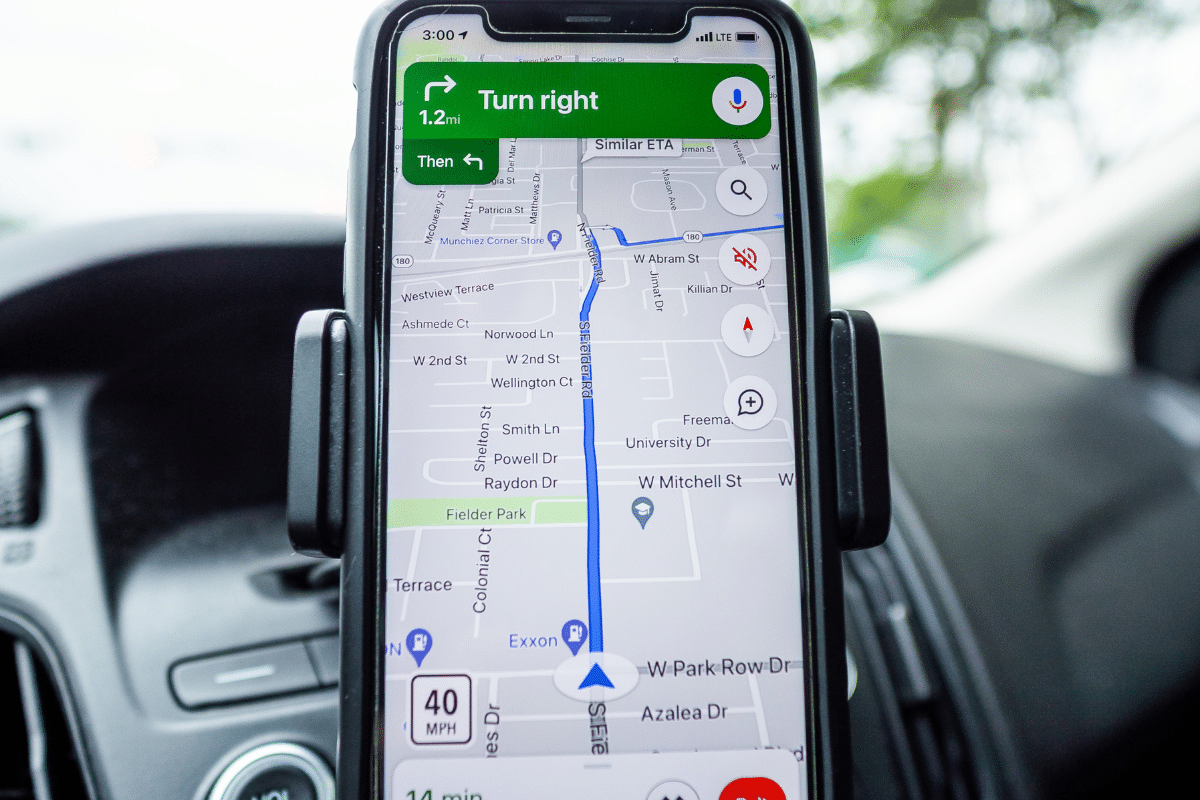
Maybe your audit reveals that you could drop to a cheaper plan if you trimmed a little. Please don’t spend your days closing apps and fretting over a few megabytes. Go after the big stuff.
- Use Wi-Fi where it makes sense. At home and on trusted networks, make sure your phone is really on Wi-Fi and not quietly using cellular. Trusted is the operative word. Saving a little cellular data is not a good reason to conduct sensitive business over any random public Wi-Fi network you happen to find.
- Download before you go. Going on a trip? Download music, podcasts, maps and entertainment while you’re connected to Wi-Fi rather than streaming everything over cellular. That’s especially useful when you’ll be traveling through places with spotty service anyway.
- Check the video settings. If one of your biggest cellular-data users is a video or social-media app, check its settings. Many have a data saver mode or let you lower the quality over cellular or turn off autoplay. You can keep watching your cat videos. They just don’t need to arrive in maximum quality when you’re nowhere near Wi-Fi.
- Watch automatic uploads and background use. Photo backups, cloud syncing and other background activity sip data quietly. Snap now, upload later. Both iPhone and Android let you restrict cellular use or background data for individual apps. Don’t turn things off indiscriminately. Start with the apps your own usage report identifies as the problem.
One more thing
There’s something rather funny about the way we use smartphones. A 2026 Pew Research Center survey found that just over half of U.S. adults believe they spend too much time on their smartphones. About one in four said they use their phones almost constantly.
So apparently we’ve managed to pull off something impressive:
We can spend too much time on our phones and still pay for more cellular data than we use. Thank Wi-Fi. And perhaps there’s another audit hiding in there for another day.
Here’s your homework
It’s the easy kind. Pull up several months of cellular usage. Find your high and low months. See which apps are responsible. Then look at what you’re paying for.
You may find unlimited is worth every penny. Or you may find you’ve been paying for a very large bucket simply because nobody ever suggested you check how empty it usually is.
Either way, you’ll know. And knowing what you’re actually paying for is a pretty good place to start.
Go get that bill. I’ll wait.
Question: Do you know how much cellular data you actually use each month, or are you about to go check? Tell me in the comments below.

More from Everyday Cheapskate
 https://www.everydaycheapskate.com/wp-content/uploads/20261011-Woman-Adjusting-Smart-Home-Device-on-the-Wall-how-to-lower-your-electric-bill.png
800
1200
Mary Hunt
https://www.everydaycheapskate.com/wp-content/uploads/EC-Logo-by-Mary-Hunt-Tagline-Trimmed.png
Mary Hunt2026-10-11 23:01:562026-10-11 23:01:56Stop Chasing Pennies on Your Electric Bill. Do This
https://www.everydaycheapskate.com/wp-content/uploads/20261011-Woman-Adjusting-Smart-Home-Device-on-the-Wall-how-to-lower-your-electric-bill.png
800
1200
Mary Hunt
https://www.everydaycheapskate.com/wp-content/uploads/EC-Logo-by-Mary-Hunt-Tagline-Trimmed.png
Mary Hunt2026-10-11 23:01:562026-10-11 23:01:56Stop Chasing Pennies on Your Electric Bill. Do This https://www.everydaycheapskate.com/wp-content/uploads/20261006-prime-big-deal-days-have-landed.png
800
1200
Mary Hunt
https://www.everydaycheapskate.com/wp-content/uploads/EC-Logo-by-Mary-Hunt-Tagline-Trimmed.png
Mary Hunt2026-10-05 11:01:432026-10-07 09:02:53EC’s Top Picks from Amazon Prime Big Deal Days 2026
https://www.everydaycheapskate.com/wp-content/uploads/20261006-prime-big-deal-days-have-landed.png
800
1200
Mary Hunt
https://www.everydaycheapskate.com/wp-content/uploads/EC-Logo-by-Mary-Hunt-Tagline-Trimmed.png
Mary Hunt2026-10-05 11:01:432026-10-07 09:02:53EC’s Top Picks from Amazon Prime Big Deal Days 2026 https://www.everydaycheapskate.com/wp-content/uploads/20261004-reduce-healthcare-costs-with-three-habits-healthy-couple-walking-in-autumn-leaves.png
800
1200
Mary Hunt
https://www.everydaycheapskate.com/wp-content/uploads/EC-Logo-by-Mary-Hunt-Tagline-Trimmed.png
Mary Hunt2026-10-04 23:08:572026-10-04 23:09:47How to Reduce Healthcare Costs With 3 Free Daily Habits
https://www.everydaycheapskate.com/wp-content/uploads/20261004-reduce-healthcare-costs-with-three-habits-healthy-couple-walking-in-autumn-leaves.png
800
1200
Mary Hunt
https://www.everydaycheapskate.com/wp-content/uploads/EC-Logo-by-Mary-Hunt-Tagline-Trimmed.png
Mary Hunt2026-10-04 23:08:572026-10-04 23:09:47How to Reduce Healthcare Costs With 3 Free Daily Habits https://www.everydaycheapskate.com/wp-content/uploads/20261004-woman-dreaming-about-her-financial-and-life-goals.png
800
1200
Mary Hunt
https://www.everydaycheapskate.com/wp-content/uploads/EC-Logo-by-Mary-Hunt-Tagline-Trimmed.png
Mary Hunt2026-10-04 12:50:422026-10-04 12:50:42She Lived in a Basement for $100 a Month. Here’s Why.
https://www.everydaycheapskate.com/wp-content/uploads/20261004-woman-dreaming-about-her-financial-and-life-goals.png
800
1200
Mary Hunt
https://www.everydaycheapskate.com/wp-content/uploads/EC-Logo-by-Mary-Hunt-Tagline-Trimmed.png
Mary Hunt2026-10-04 12:50:422026-10-04 12:50:42She Lived in a Basement for $100 a Month. Here’s Why. https://www.everydaycheapskate.com/wp-content/uploads/20260925-best-inexpensive-coffee-grinders-burr-manual-and-electric.png
800
1200
Mary Hunt
https://www.everydaycheapskate.com/wp-content/uploads/EC-Logo-by-Mary-Hunt-Tagline-Trimmed.png
Mary Hunt2026-09-25 11:06:342026-10-10 15:49:09The Best Coffee Grinder Upgrade That’s Actually Worth It
https://www.everydaycheapskate.com/wp-content/uploads/20260925-best-inexpensive-coffee-grinders-burr-manual-and-electric.png
800
1200
Mary Hunt
https://www.everydaycheapskate.com/wp-content/uploads/EC-Logo-by-Mary-Hunt-Tagline-Trimmed.png
Mary Hunt2026-09-25 11:06:342026-10-10 15:49:09The Best Coffee Grinder Upgrade That’s Actually Worth It https://www.everydaycheapskate.com/wp-content/uploads/20260920-small-money-mistakes-woman-sitting-at-her-laptop-reviewing-bills.png
800
1200
Mary Hunt
https://www.everydaycheapskate.com/wp-content/uploads/EC-Logo-by-Mary-Hunt-Tagline-Trimmed.png
Mary Hunt2026-09-20 11:34:162026-09-28 22:48:40Small Money Mistakes: How to Fix Them Before They Grow
https://www.everydaycheapskate.com/wp-content/uploads/20260920-small-money-mistakes-woman-sitting-at-her-laptop-reviewing-bills.png
800
1200
Mary Hunt
https://www.everydaycheapskate.com/wp-content/uploads/EC-Logo-by-Mary-Hunt-Tagline-Trimmed.png
Mary Hunt2026-09-20 11:34:162026-09-28 22:48:40Small Money Mistakes: How to Fix Them Before They Grow https://www.everydaycheapskate.com/wp-content/uploads/20260918-man-and-woman-signing-an-extended-warranty-in-a-car-dealership.png
800
1200
Mary Hunt
https://www.everydaycheapskate.com/wp-content/uploads/EC-Logo-by-Mary-Hunt-Tagline-Trimmed.png
Mary Hunt2026-09-18 15:23:432026-09-18 15:25:43Is an Extended Warranty Ever Worth It? The Truth for 2026
https://www.everydaycheapskate.com/wp-content/uploads/20260918-man-and-woman-signing-an-extended-warranty-in-a-car-dealership.png
800
1200
Mary Hunt
https://www.everydaycheapskate.com/wp-content/uploads/EC-Logo-by-Mary-Hunt-Tagline-Trimmed.png
Mary Hunt2026-09-18 15:23:432026-09-18 15:25:43Is an Extended Warranty Ever Worth It? The Truth for 2026 https://www.everydaycheapskate.com/wp-content/uploads/20260915-overspending-habits-man-opening-empty-wallet.png
800
1200
Mary Hunt
https://www.everydaycheapskate.com/wp-content/uploads/EC-Logo-by-Mary-Hunt-Tagline-Trimmed.png
Mary Hunt2026-09-15 20:24:412026-09-28 22:48:50How to Stop Overspending Habits for Good, Starting Today
https://www.everydaycheapskate.com/wp-content/uploads/20260915-overspending-habits-man-opening-empty-wallet.png
800
1200
Mary Hunt
https://www.everydaycheapskate.com/wp-content/uploads/EC-Logo-by-Mary-Hunt-Tagline-Trimmed.png
Mary Hunt2026-09-15 20:24:412026-09-28 22:48:50How to Stop Overspending Habits for Good, Starting Today https://www.everydaycheapskate.com/wp-content/uploads/20260914-101010-rule-gold-numbers-on-teal-background.png
800
1200
Mary Hunt
https://www.everydaycheapskate.com/wp-content/uploads/EC-Logo-by-Mary-Hunt-Tagline-Trimmed.png
Mary Hunt2026-09-14 11:31:532026-09-28 22:48:53The 10/10/10 Rule Every Overthinker Needs to Try Today
https://www.everydaycheapskate.com/wp-content/uploads/20260914-101010-rule-gold-numbers-on-teal-background.png
800
1200
Mary Hunt
https://www.everydaycheapskate.com/wp-content/uploads/EC-Logo-by-Mary-Hunt-Tagline-Trimmed.png
Mary Hunt2026-09-14 11:31:532026-09-28 22:48:53The 10/10/10 Rule Every Overthinker Needs to Try Today
Leave a Reply
Want to join the discussion?Feel free to contribute!